
AI cheat sheet for beginners: the words and where to start
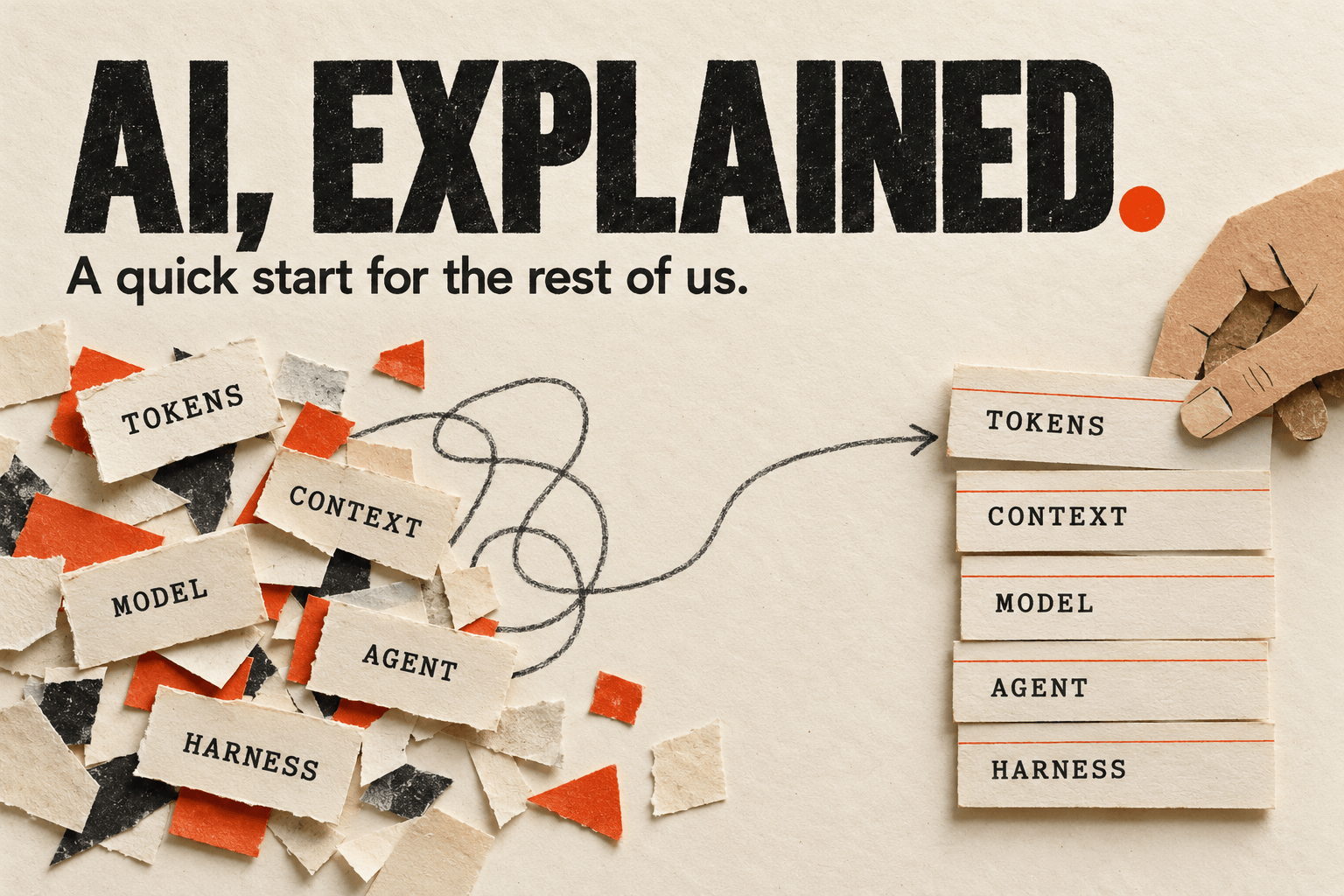
Everybody talks about AI. Models get released, tools get renamed, and somehow you are supposed to know what an agent harness is before you have even tried one. Come on. We can explain this better.
I like what we can do with these tools. There is a lot to be curious about. But the vocabulary makes getting started feel much harder than it needs to be. Especially when people mix company names, model names, and product names in the same sentence as if they were all the same thing.
So let’s slow down a little. First, the words. Then, who builds what. And finally, something you can try yourself without buying three subscriptions.
AI, models, and LLMs: what are we actually talking about?Link to this section
AI means artificial intelligence. That is a very broad term. Software recognizing a face in a photo is AI. Software generating a picture or helping you write an email is AI too. These can work quite differently.
This post focuses on the assistants you can talk to and give tasks to. They use generative AI , which means AI that creates something: text, code, images, audio, or video.
For text, you will often hear LLM , short for large language model. A model is the trained system that generates the response. It has learned patterns from large amounts of data and uses those patterns, together with the information you give it, to produce an answer piece by piece.
Parameters and weights: the numbers insideLink to this section
A model has parameters : numbers learned during training. Think of them as a huge collection of adjustment knobs. Training changes their values so the model gets better at its training tasks.
A weight is one kind of parameter. It controls how strongly a signal influences a calculation inside the model. There are other parameters too, such as biases. People often use “weights” as shorthand for the whole set of learned numbers. Google’s machine-learning glossary explains the distinction.
When a downloadable model says 8B, that usually means roughly eight billion parameters. It does not mean eight billion facts, and a bigger number does not automatically give you a better answer. It also takes memory to store those numbers. That will matter when we get to running a model on your own computer.
Training adjusts those numbers. Inference means using the trained model to produce an answer. Our normal conversation with an assistant is inference. We can leave the mathematics for another day.
A prompt is just what you askLink to this section
Let’s say you need to answer a customer who is waiting for a delivery. You open an AI assistant and write:
Write an email to a customer about a delayed delivery.That is your prompt . The instruction you give it. No special syntax, no secret formula.
The assistant will probably produce something that looks like a reasonable email. Maybe very polite. Maybe a bit too polite. Maybe it promises that the package will arrive tomorrow.
Wait. Who said anything about tomorrow?
You asked it to write an email, but you gave it almost none of the information needed to write the right email. This is where the next word matters much more than finding a clever prompt on LinkedIn.
Context is what it has to work withLink to this section
Context is the information available to the model when it answers. Your message is part of it. Previous messages, attached documents, instructions from the app, and information fetched through tools can be part of it too.
For our customer email, useful context would be:
The customer's order is three days late.
We are waiting for an update from the delivery company.
We do not have a confirmed delivery date yet.

Write a short, friendly reply. Acknowledge the delay.
Do not invent a delivery date or promise a refund.
Now it has something to work with.
Think about asking a colleague to help you. If you leave out half the situation, they will have questions. An AI assistant might ask too, but it can also happily fill in the gaps. And because the answer reads so smoothly, those gaps are easy to miss.
Give it the information it needs to do the job. A longer prompt is only useful if the extra words help.
This also explains why “make this better” can be frustrating. Better for whom? Shorter? More friendly? More technical? You know what you mean. The assistant needs that information too.
Tokens: the small piecesLink to this section
The model does not process text exactly as we read it. It works with tokens : small chunks that can be words, parts of words, or punctuation. The exact split depends on the model and the language.
You do not need to count them yourself. But they explain two things that otherwise look rather arbitrary: how much information fits into a conversation, and how some services charge you.
Input tokens are what the model processes. That can include your prompt, earlier messages, documents, and instructions you never see in the chat window. Output tokens are what it generates.
So asking for a short answer does not automatically mean a small amount of work. If you attach a hundred-page document and ask for one sentence, the document still has to be processed.
The context window: how much fits at once?Link to this section
The context window is the limit on how much the model can work with at once, measured in tokens. Think of it as the size of a desk. You can put information on it, but eventually the desk is full.
Apps handle that limit in different ways. They might summarize older messages or leave some material out. This is one reason a very long chat can lose details you thought were settled twenty messages ago. Annoying? Absolutely. But easier to deal with once you know what is happening.
When a conversation gets messy, start a fresh one with the current task, the important facts, and the decisions you want to keep.
Some apps also have memory features that save selected information between conversations. That is separate from the context window. It does not mean the assistant remembers everything forever, and pasting something into a chat does not immediately retrain the model.
Does it learn when I correct it?Link to this section
Remember our delivery email? Suppose we save a rule: “Only mention a delivery date when tracking confirms it.” If the app loads that rule next time, the assistant has better context. Its underlying parameters may be exactly the same. This is why memory and training are useful words to keep apart.
You may hear this described as recursive learning : try something, check the result, save a lesson, and use it on the next attempt. The phrase gets used loosely. I would always ask: what actually changes between attempts? A saved instruction? The workflow? The model itself?
Recursive self-improvement goes further: AI helps improve the AI system itself, and that improved system helps make the next improvement. Anthropic explores this in When AI builds itself. A chatbot following your correction does not, by itself, demonstrate that. It might simply be using the context you just gave it.
It can sound very confident and still be wrongLink to this section
Back to that invented delivery date. When an AI produces believable but incorrect or made-up information, people call that a hallucination .
I find the word a little too gentle for what it means in practice. In our example, you could send a customer a promise your company cannot keep. In code, you could get a function that looks perfect and does not exist.
The uncomfortable part is that a wrong answer can look just as polished as a correct one.
Check the parts that matter. Read the source it links to. Compare the summary with the original. Run the code. Asking the same assistant “are you sure?” is easy, but it gives you another answer from the same assistant, not independent evidence.
This does not make the tool useless. It means checking the result belongs to using it.
Models, agents, and harnesses: how they fit togetherLink to this section
So far, the assistant has written a reply. You still have to copy it into your email program and send it.
A tool gives an assistant a capability beyond generating an answer. A tool might search the web, read a file, look up an order, or send an email. What is available depends on the app and the access you have granted.
Now imagine an assistant that can look up the delayed order, check its tracking status, and prepare a reply using what it found. It takes several steps and uses the result of one step to decide what to do next.
That is the idea behind an agent : a model working through a task with tools. In a coding project, those steps could be reading files, editing code, running a test, and fixing the failure.
And the harness ? That is the software around the model that makes this possible. It provides the instructions and tools, manages context and permissions, executes tool calls, and feeds the results back to the model.
For our delivery example, the pieces would be:
| Piece | Its job |
|---|---|
| Model | Interprets the request and generates responses or requests to use tools |
| Context | The customer’s message, order details, and your instructions |
| Tools | Look up the order, get tracking information, prepare an email |
| Harness | Connects these pieces, runs the steps, and enforces configured permissions |
| Agent | The resulting system working through the task |
People use “harness” a bit loosely, so do not be surprised if the explanations vary. The useful part is understanding that the model has a whole environment around it. Two apps using the same model can behave very differently because of that environment.
And yes, preparing an email and sending it are two different levels of responsibility. Before giving an assistant access, understand what it can actually change.
When coding agents become a software factoryLink to this section
Now take those steps from the coding example: read files, change code, run tests, fix what failed. Build a repeatable process around them, starting from written requirements, and you arrive at what people in AI coding discussions call a software factory . StrongDM’s software factory is one example.
Imagine we want to add order cancellation to our shop. The requirement says: “A customer can cancel an order before it ships.” Agents write the code, check that cancellation works before shipping, check that it is refused afterwards, and use failures to guide another attempt. That is a feedback loop : the result helps determine what happens next.
I understand the appeal. Who would not want the boring implementation work to run itself? But somebody still has to decide whether those are the right rules and whether the checks cover the real problem. Bad requirements can produce the wrong software very efficiently. The “factory” is the whole process around the agents; it is not another model you need to download.
Browser, code editor, or terminal: where do I start?Link to this section
You can talk to AI through a website, an app, a code editor, or a terminal. This is where another small collection of abbreviations joins the party.
UI means user interface, the part of the software you interact with. GUI means graphical user interface: windows, buttons, menus. CLI means command-line interface, usually used in a terminal.
A terminal is an application where you run programs using text commands. A code editor is where developers work on their code. You may also hear IDE , an integrated development environment, which combines editing with other development tools.
For our delivery email, a browser chat is enough. You paste the details, read the draft, and copy the reply when you are happy with it. Working on a website changes what you need: now the assistant needs project files, and you need a way to review its changes.
- Browser chat: a comfortable first stop for writing, learning, and everyday questions. You work in a conversation and provide the text or files it needs.
- Code editor: useful when you want your files, the conversation, and proposed changes beside each other. An assistant can work with relevant project files, depending on its access.
- Terminal: useful when your work involves commands and files. A terminal assistant can work through project tasks and run commands with the permissions you give it. You read its output and review what changed.
There is overlap. Some browser apps can work on coding projects too, and some editors include a terminal. Choose the interface that makes it easiest for you to follow what is happening.
The terminal does not make the AI smarter. It is another way to work with it. Once you start a terminal assistant, you can usually ask it things in normal language too.
What about an API?Link to this section
An API is how one program asks another program to do something. Developers use AI APIs to add model capabilities to their own software. An API key is a credential that authorizes those requests, so treat it like a password.
You do not need an API key to get started with a normal browser chat.
One thing worth understanding before connecting tools: a chat subscription and API billing are separate arrangements. Paying for one app does not automatically give every other app unlimited model usage.
AI companies, models, and tools: now the names make senseLink to this section
We have a model, software around it, and an interface where we use it. Now we can put the companies and products in the right places. On a phone, swipe across the comparison tables to see all three columns.
| Company or project | Models you will hear about | Tools you can use |
|---|---|---|
| OpenAI | GPT models | ChatGPT for conversation and work; Codex for coding tasks |
| Anthropic | Claude models, including Sonnet, Opus, and Haiku | Claude for chat and work; Claude Code for coding tasks |
| Google / Google DeepMind | Gemini models | Gemini app; Google AI Studio for experiments; Gemini CLI for terminal work |
| Cursor | Model choices depend on its offering and your plan | An AI code editor, coding agents, and a CLI |
| OpenCode | Connects to a choice of model providers | An open-source coding agent with terminal, desktop, and editor interfaces |
The details live in the official OpenAI model guide, Claude plans, Gemini model catalog, Cursor plans, and OpenCode introduction.
There is some genuinely confusing naming here. Claude names both a model family and an app. Gemini does too. OpenAI is the company; ChatGPT is a product. Codex is the coding product you interact with, which uses a model underneath.
OpenCode and OpenAI are different projects. Similar names, easy mistake.
Model names also come with versions and variants. You might see GPT-6.1 Sol or Gemini Flash. For your first attempts, the app’s default is fine. You can compare models later on a task you understand well enough to judge. Otherwise you are mostly comparing how convincing their answers sound.
Free AI tools: what can I try without paying?Link to this section
Quite a lot, actually. Enough to find out whether any of this helps you.
The table below reflects the linked official pages checked on October 15, 2026. Access can vary by country, account, and rollout. Free also comes with usage limits.
| Tool | Where free gets you | The detail to check |
|---|---|---|
| ChatGPT / Codex | A Free plan; documented free Codex access is Luna in the desktop app, subject to rollout | That does not give you every model or every Codex interface |
| Claude | Chat on web, desktop, and mobile | Claude Code is listed with paid plans, not free chat |
| Gemini | App access with a Google account | Features and available models differ by plan |
| Gemini CLI | A free allowance through eligible Google account sign-in | Limits depend on authentication; one task can make several model requests |
| Cursor | Limited AI usage on the free plan | Check included models and charges for additional usage |
| OpenCode | The agent software is open source | The model service you connect can still cost money |
My suggestion: choose one. Use it on a few small tasks. When you hit a limit, you will have a much better idea of whether paying would solve an actual problem for you.
And if I want open source or local AI?Link to this section
This part matters to me because having a choice matters. You can run AI on your own computer, and you can use tools whose source code is available. But “open source,” “free,” and “local” each tell you something different.
Open-source software comes with source code and a license that allows use, modification, and redistribution. Ollama and OpenCode are examples of open-source tools.
Open weights means you can download the model’s learned parameters, the numbers it uses to generate answers. That does not automatically include the training data or permission for every possible use. Check the particular model’s license.
Local means the model computation happens on your machine. A terminal app on your laptop can still send every model request to the cloud, so installing something locally is not enough.
You will encounter model families such as Qwen, Llama, Mistral, DeepSeek, gpt-oss, and Google’s Gemma. The LM Studio documentation lists local model families it supports, and Google’s Gemma page introduces its downloadable models. Each family contains different sizes and versions. Downloadable does not necessarily mean your laptop can run it comfortably.
The appeal is real: local chat can work offline, and you avoid a cloud charge for each request. The tradeoff is that your computer has to do the work. Memory, storage, speed, and model quality all become part of the choice.
Enough words. Let’s try something.Link to this section
Start with a browserLink to this section
Open ChatGPT, Claude, or Gemini and choose the free option available to you. Take a short piece of text you wrote, without private customer or company information, and ask:
Rewrite this for someone who is new to the topic.
Keep my meaning and use short sentences.
Do not add facts. Keep it under 100 words.
Tell me if something in the original is unclear.

Here is my text:
[paste your text]
Read both versions. Did it preserve what you meant? Does it still sound like you? If it turned your perfectly normal message into a corporate announcement, tell it. “Less formal. I am writing to a colleague, not announcing a merger.”
That back-and-forth is useful. You can steer the result. You do not have to accept the first answer as if it came out of a printer.
Try a coding assistantLink to this section
If you prefer seeing your files and changes in an editor, try Cursor. For a terminal option with a free allowance, follow the Gemini CLI installation guide and use eligible Google sign-in. Codex and Claude Code are other options if you already have access.
Start with a small practice project or a copy of your files:
Explain what this project does in simple language.
Read the relevant files, but do not change anything yet.
Show me the main starting file and explain why it matters.
Check the explanation against the project. Then ask it to fix one spelling mistake in the README and show exactly what changed.
The view showing added and removed text is called a diff . Read it. This is a small task on purpose: you can see what the assistant did and decide whether it was right.
If you want to choose your own model provider, try OpenCode. It can also use local models through Ollama. How well that works for coding depends on the model and your hardware.
Try a model on your own computerLink to this section
LM Studio gives you a graphical way to download a model and chat with it. It is a convenient local starting point; the desktop app itself should not be mistaken for an entirely open-source stack.
Install it, choose a small chat model that fits your machine’s memory, download it, and repeat the rewriting exercise. Once downloaded, local chat can work offline. External tools and connections are separate.
If you prefer working in a terminal, follow Ollama’s quickstart. Choose a local model if you want local processing; Ollama offers cloud options too.
You now have something concrete to compare. Does it help with your task? Is it fast enough? Are the answers useful? Those questions will teach you more than downloading the biggest model you can find.
A few words for the next conversationLink to this section
You will run into more terms. Of course you will. Here are a few you can come back to when you need them:
| Term | What it means |
|---|---|
| Reasoning / thinking | Extra processing a model can spend on a problem before answering. This can take longer and use more of your allowance. |
| Multimodal | Working with more than one kind of input or output, such as text and images. |
| RAG / retrieval | Finding relevant material in documents or a database and giving it to the model as context. |
| MCP | Model Context Protocol: a shared way for AI apps to connect to tools and data sources. |
| Skill | Reusable instructions for a task, sometimes packaged with scripts or examples. |
| Fine-tuning | Additional training that changes a model’s behavior. Attaching a document to a chat is not fine-tuning. |
| Eval | A repeatable check of AI behavior on example tasks. It helps you compare changes instead of trusting that the new answer “feels better.” |
| Feedback loop | Using a result and its evaluation to guide the next attempt. Repeating a mistake faster is also a loop, so the feedback needs to be useful. |
A printable AI cheat sheet for your deskLink to this section
That was a lot of new vocabulary. You should not have to remember it all at once, so here are the basic words on one page. Print it, keep it beside your keyboard, or send it to the colleague who has been politely nodding through all these abbreviations. No signup needed.
Download the free A4 cheat sheet (PDF) · Download the 300-DPI PNG

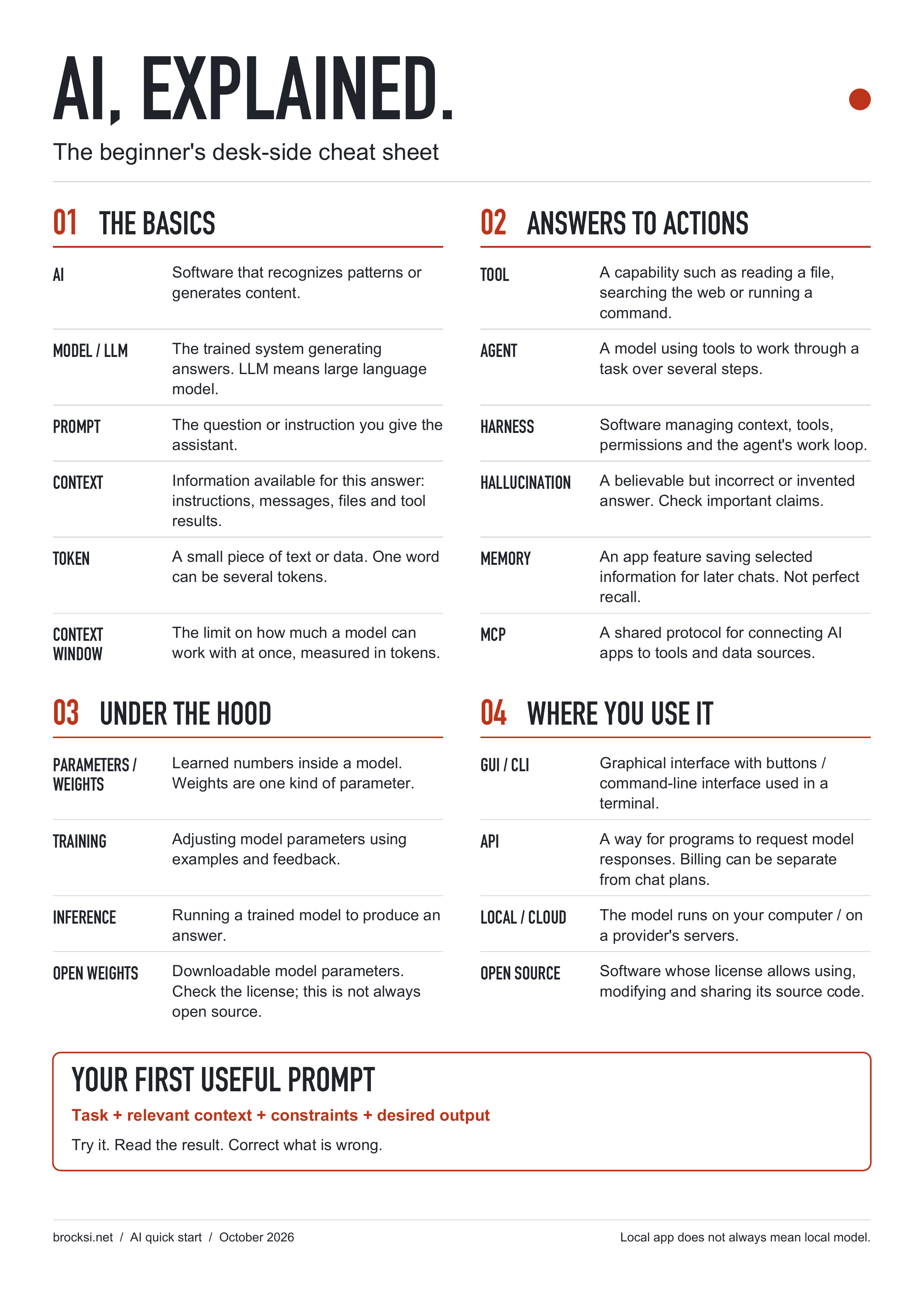
The PDF is one DIN A4 page (210 × 297 mm), with selectable text and room for printer margins. Print at actual size.
I would much rather see someone try one useful task, notice where the answer went wrong, and learn how to improve it than spend a week choosing the perfect setup.
Be curious. Ask follow-up questions. Keep your own judgment. And if the first answer is terrible, say what is wrong with it. That is a perfectly good place to start.